Transform Your Reddit Experience
Turns any subreddit or user profile into a beautiful, modern media grid gallery.


This extension works with any Chromium-based web browser.
 Chrome Web Store
|
Featured
Chrome Web Store
|
Featured
How to Use the Extension
Everything you need to know to get started.
Open a Subreddit or User's Profile
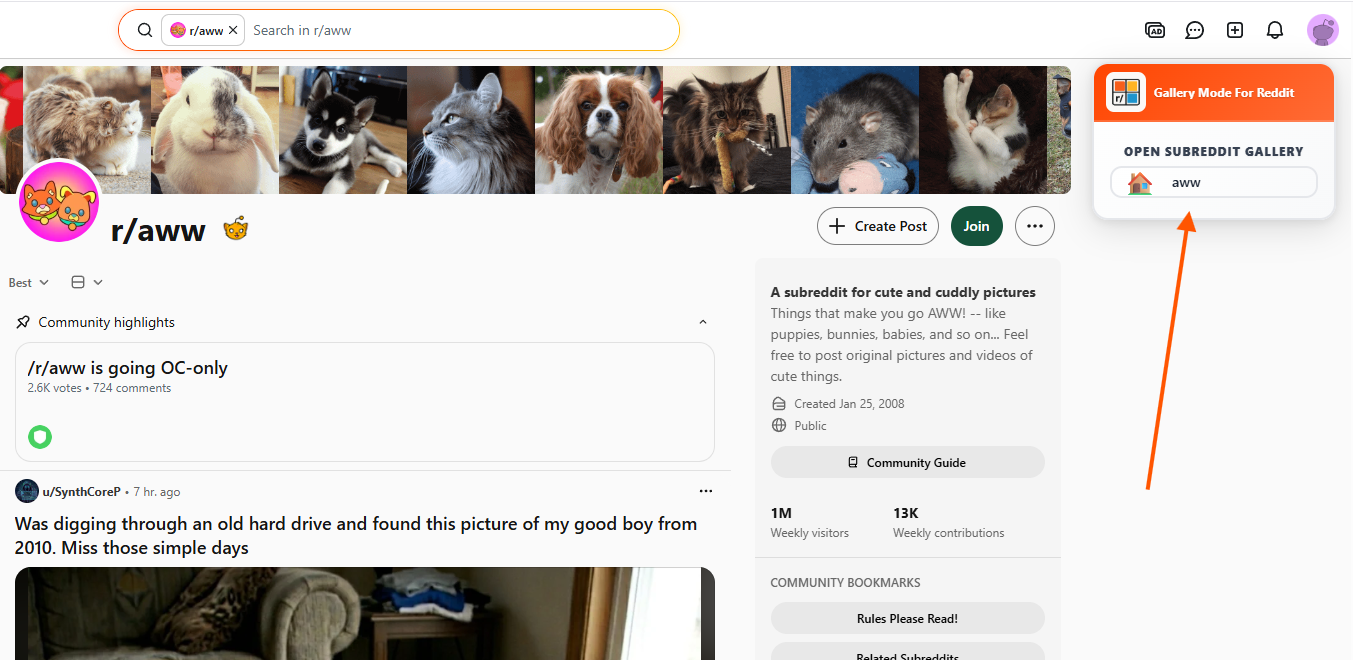
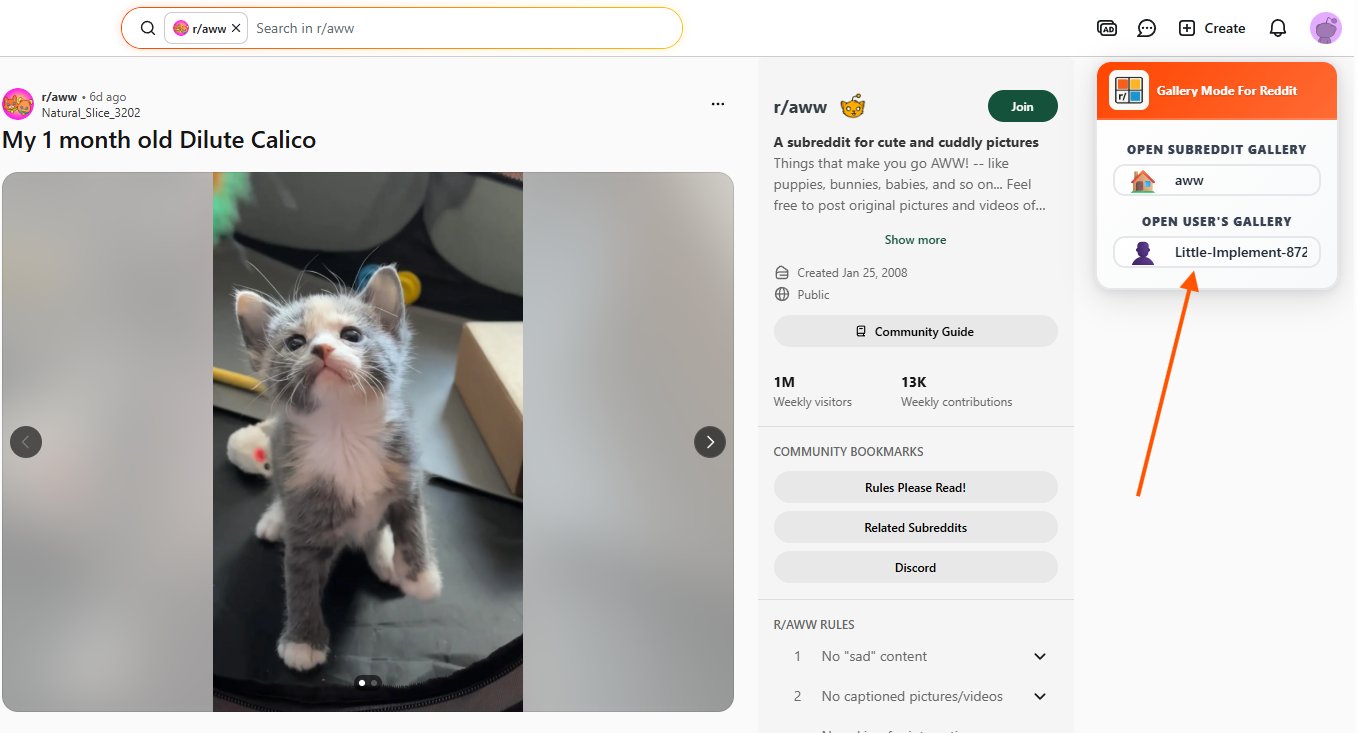
Navigate to any subreddit (e.g., r/pics) or a specific user's profile. You will see a new "Gallery Mode" button seamlessly injected near the top sorting menu. Click this button to instantly transform the feed into a beautiful media gallery.
Open a Subreddit Media Gallery
Open a User's Media Gallery
Browse the Gallery
Once inside Gallery Mode, use your keyboard arrow keys, mouse scroll, or the on-screen navigation arrows to fluidly browse through images, GIFs, and videos without ever leaving the page.
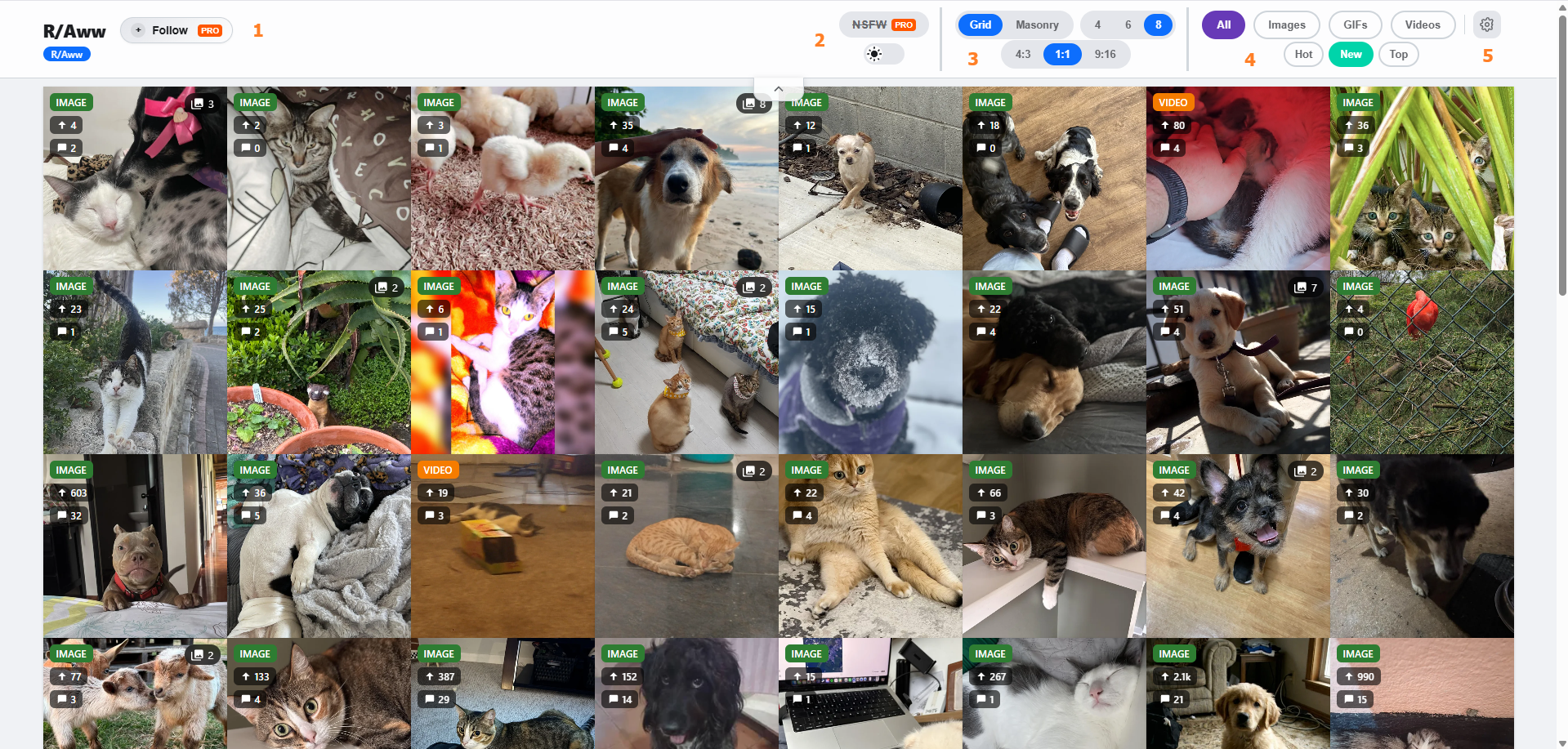
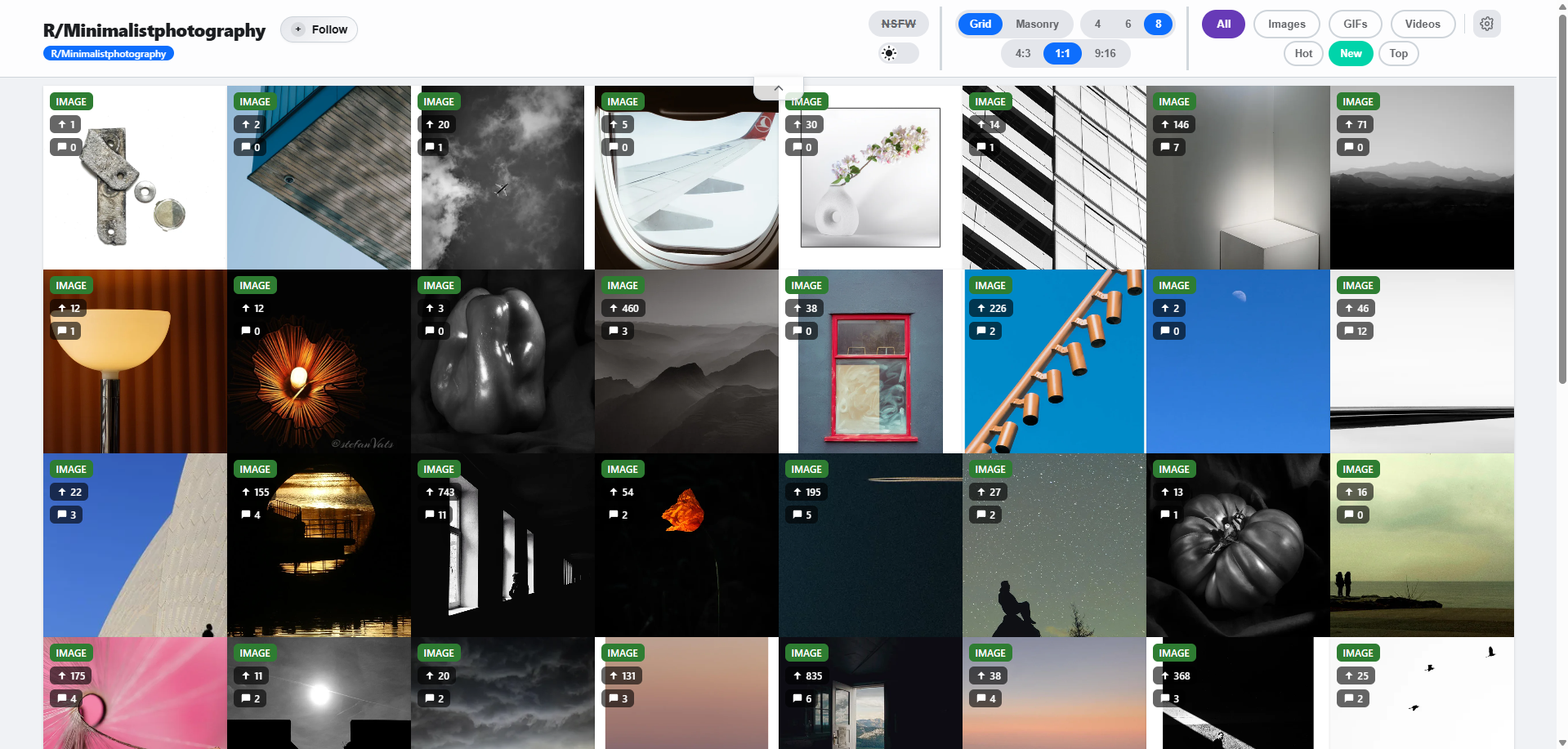
Gallery Toolbar Features
- 1. Follow & Notifications (Pro Feature): Easily follow the current subreddit or user profile. Once followed, you can enable notifications to get alerts when new media is posted.
- 2. NSFW & Theme Switch: Toggle NSFW content visibility on or off instantly. You can also switch between Light and Dark mode for comfortable viewing in any environment.
- 3. Gallery View & Aspect Ratios: Customize how media is displayed by choosing between Grid or Masonry views, and adjust the media aspect ratio (4:3, 1:1, or 9:16) to suit your preference.
- 4. Gallery Filter: Filter the feed to show specific types of media such as Images, GIFs, or Videos, and sort them by Hot, New, or Top.
- 5. Gallery Settings: Customize your gallery experience with the following options:
- Lower info bar in gallery grid: Choose whether the info bar at the bottom of media is "Always" visible or only appears "On Hover".
- Media info (Type, Votes, Comments): Select "Show" or "Hide" to toggle the display of media type icons, upvote counts, and comment counts.
- Autoplay Gifs/Videos: Control playback behavior by setting animated media to play "By Row" (when hovering your mouse over a row) or "Play All" at once.
Premium Subscribers
Unlock all features by activating your purchased license.
How to Activate your license
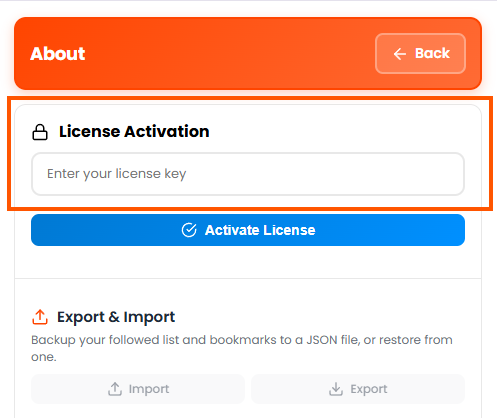
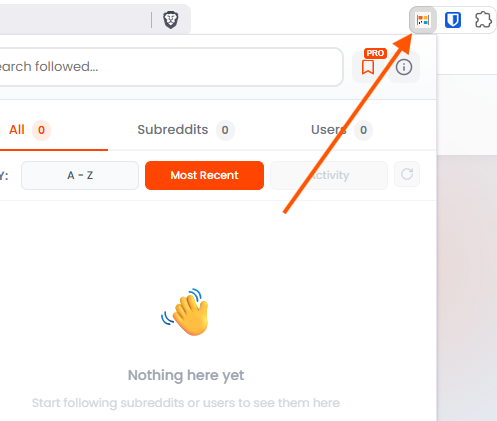
Click on the extension icon in your browser toolbar to open the popup. Next, click the About button (the ⓘ icon) to navigate to the about page. Enter your purchased license key into the designated field and click the "Activate" button. Once verified, all premium features will be unlocked immediately.
Step 1
Step 2